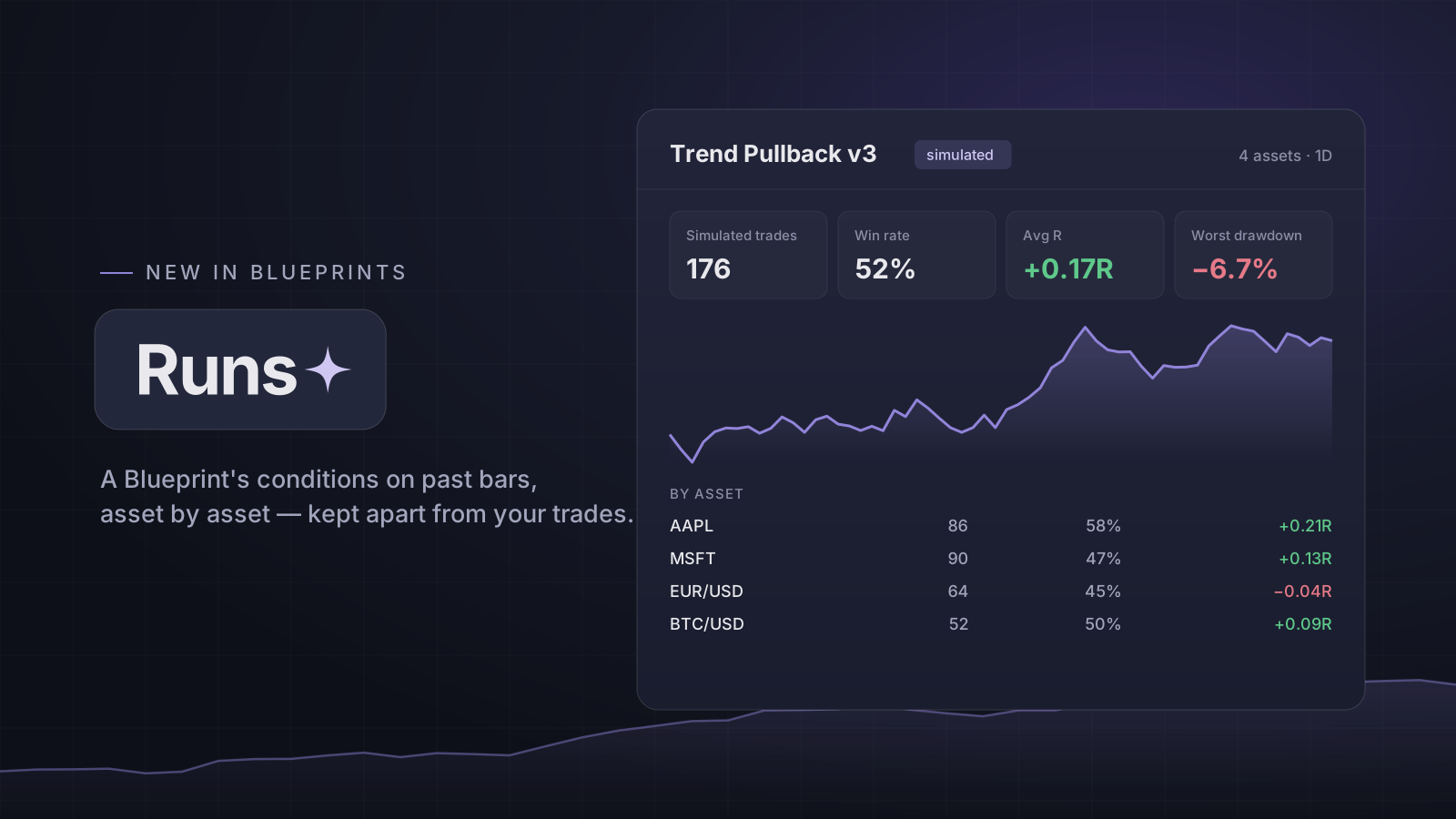
One Blueprint, several assets
Press Run backtest on a Blueprint, add up to eight stocks, forex pairs or coins, and choose the dates and the bar size. Each asset runs on its own practice balance, and the results sit side by side: simulated trades, win rate, average R and the worst drawdown, per asset and for the run.
A run uses the version of the Blueprint you saved, and it is kept with that version — edit the Blueprint later and the run still says which rules it used.
The same rules as bar replay
Conditions are checked at each bar's close using only the bars up to it. An entry fills at the next bar's open; the stop and target come from the Blueprint's exit; a bar that opens past a level fills at the open, and a bar that reaches both the stop and the target counts as the stop. An entry whose stop would land on the wrong side of the fill is skipped, and the run says how many.
It describes what the rules would have done on past prices. Past performance is not indicative of future results.
Its own analytics page — kept apart
Every Blueprint now has an analytics page with two panes that are never added together: your real trades tagged with it — win rate, R, the running total, and whether the trades that ticked every checklist item did differently from the ones that skipped one — and its backtest runs.
Share the plan, not the results
Share a Blueprint as a link with its conditions and checklist. Results never travel with it — no trades, no runs, no P&L, and nothing that says who you are. Anyone with the link can read it; someone signed in can copy it into their own Blueprints, and you can revoke a link at any time.
Blueprints, their checklists and sharing are on every plan. Conditions, runs and the analytics page are part of Pro.
Open it: Blueprints
Open in the app