A setup you can point at
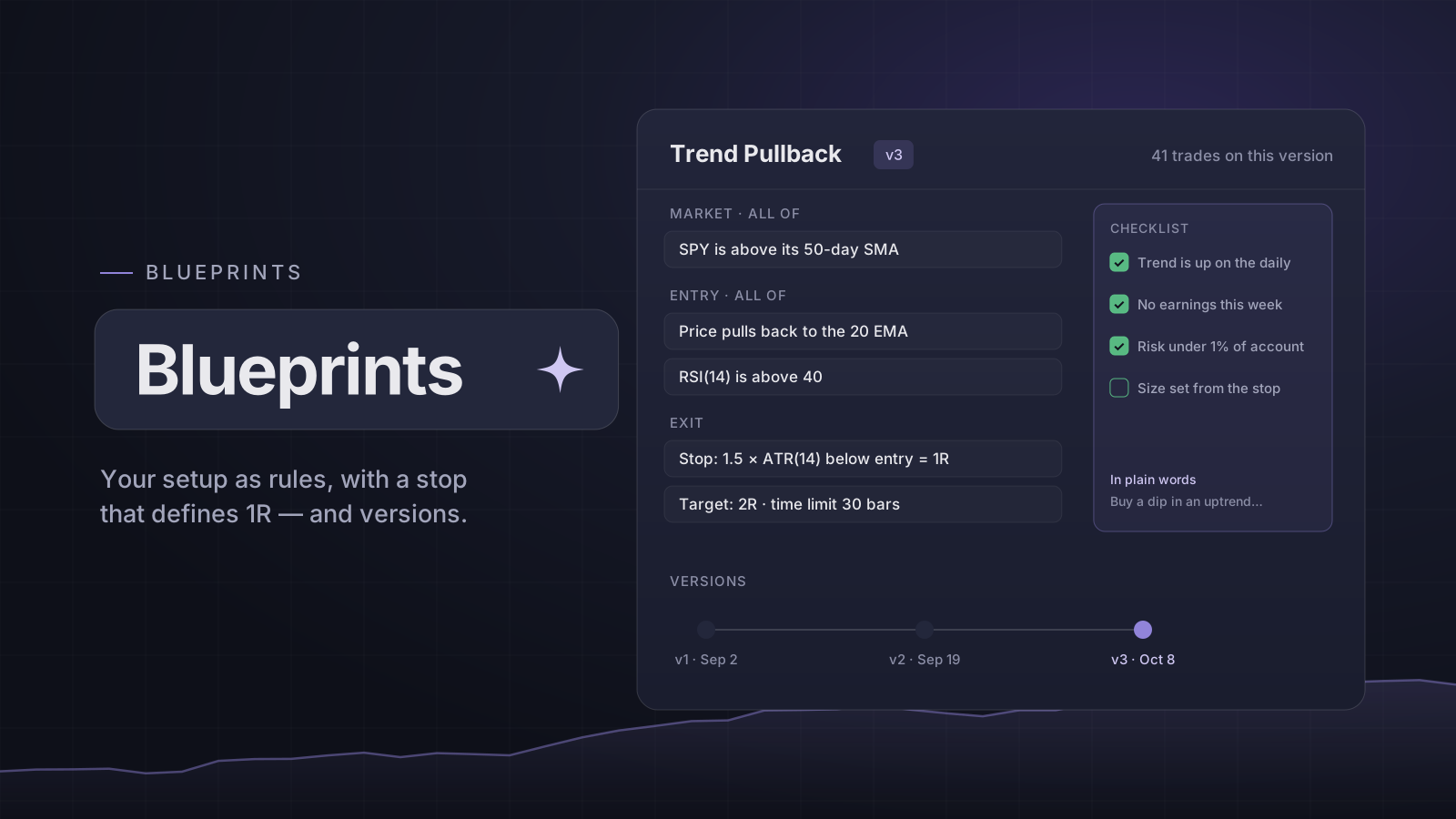
"Trend pullback" means something slightly different every time you say it. A Blueprint pins it down: a checklist you tick by hand before a trade, and conditions the chart can check — the market, the entry and the exit — each block matching All or Any of its lines.
A condition compares any two of 23 entries on the indicator list — price, moving averages, Bollinger bands, VWAP, RSI, CCI, MACD, the stochastic, ATR and volume — with "is above", "crosses above", "is between" or "is stretched below", or starts from a ready-made one such as a pullback to an average or a breakout of recent bars; every one reads back as a sentence, with the whole Blueprint summed up in plain words.
Illustrative sample data — not actual or achievable results.
1R is part of the setup
The exit block needs a stop — by ATR, by percent or at the last swing — and that stop is what 1R means for this setup. A target — in R, or at a moving level such as an average or a Bollinger band — and a time limit in bars are optional.
Versions, so the record stays true
Change a Blueprint's rules and it becomes a new version. Trades and practice sessions keep the version they were taken under, so a setup's history is never quietly rewritten by what you changed last week.
In bar replay, the bars where every condition held are marked, "To next signal" plays to the next one, and the Blueprint's stop and target can be placed for you. The check reads past bars only.
Start from ours
New accounts start with 11 ready-made Blueprints — from Opening Range Breakout to Overbought Fade — to copy, edit or delete, and restore later. Blueprints and their checklists are on every plan; conditions, running one in bar replay and the later Blueprint runs are part of Pro.
Open it: Blueprints
Open in the app