Why we built it
A journal holds the answer to most of the questions a trader asks about their own trading. The trouble is finding it: the pattern is spread over hundreds of rows, dozens of filters and several Analytics tabs, and nobody has the evening to cross-reference all of it.
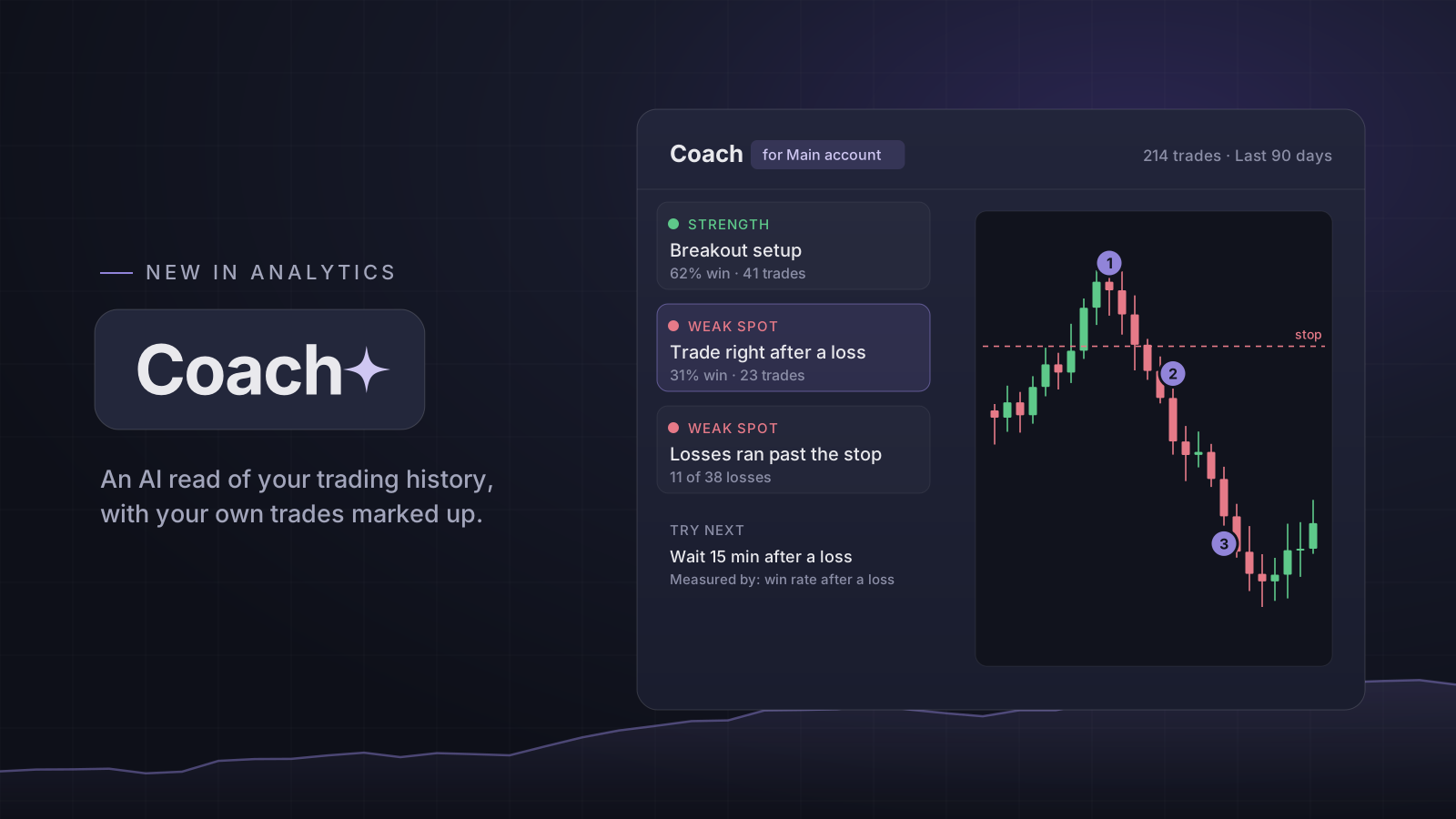
Coach does that pass for you. Pick an account and a period, press Read my history, and it goes through the record the same way a careful reviewer would — by setup, by symbol, by side, by the hour you entered, by what you did right after a loss — and comes back with the few things that stand out.
Illustrative sample data — not actual or achievable results.
What a read shows
Every read is laid out the same way, so two reads a month apart can be compared side by side.
- Strengths and weak spots, each with the figures behind it — the trade count, the win rate, the net result in that group.
- Your own trades on the chart, with numbered marks on the entry, any add, the stop and the exit, so a finding points at real trades rather than a statistic.
- Up to three changes to try, each paired with the number in your journal that will show whether it is working.
Every number comes from your journal
The findings are detected by the app, with the same arithmetic as the rest of Analytics. The AI's job is narrower: it chooses which findings matter most and writes them up in plain words. It is not allowed to compute or invent a figure — a number in its write-up that the evidence does not contain is removed before you see it.
That is also why Coach needs a record to read. It waits for at least 30 closed trades, a group needs 20 before it is called a strength or a weak spot, and the more trades carry a setup, a stop and a note, the more it can say.
What it costs
Coach is part of the Pro plan. Each read uses one AI action and is saved per account and period, so opening it again later is free; only Read again spends another action.
Open it: Analytics → Coach
Open in the app