Your rules, in your words
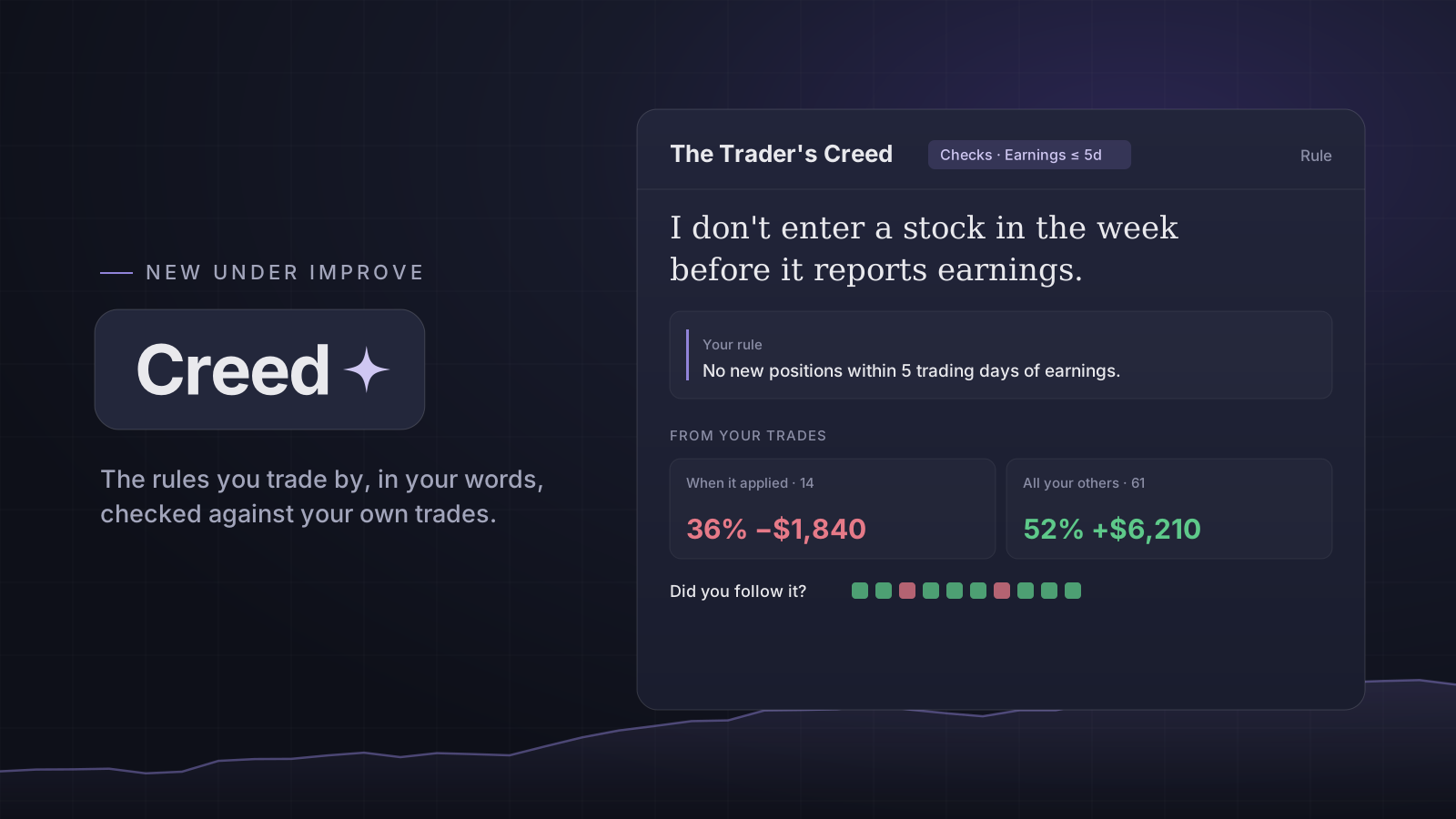
Each entry in your Creed is a tenet: what you believe, where it came from (a link, or a photo of the page) and the rule you act on. The app shows them back exactly as you wrote them.
A new Creed starts with a few examples, one for each kind of check and a plain note, so you can see how a tenet works. Edit one to make it yours, or delete it.
What the app can check
A tenet can name one thing the app checks: the month, the weekday, a trade tag, one of your Blueprints, or earnings within a number of trading days. The rest of your rule stays in your words, and the page says which part it checks.
Beside each tenet, your closed trades are split in two: the ones it applied to and all the others, with the same figures as Analytics. Under it you can mark each trade Followed or Not followed. The app counts your answers and never grades them.
Reminders, never a block
When a tenet applies to the trade you are writing, the trade form shows it in your words, with why, such as the date the company reports. The chart's earnings badge names your earnings tenet, and the Review asks whether you followed it. Save is never held back.
Starter facts and seasonality
The Creed opens with facts computed from S&P 500 history: the return by month and by weekday, around market holidays, and what SPY did after a VIX spike, each with what the average hides. They state what the index did; a rule is only ever yours. The same month-by-month chart is on Markets.
The scanner, on Pro
A tenet that checks one of your Blueprints can be scanned. Once a day after the close it runs the Blueprint's conditions over the large US stocks on daily bars and lists the ones that met them. It is a list of what met your own conditions on one close, not a pick.
Open it: Creed
Open in the app